Microsoft MCAPS · Enterprise Storytelling · 2023

Overview
Enterprise stories need more than a clear sequence of slides. They need a shared narrative foundation that can stay coherent while adapting to different audiences, roles, and conversation contexts.
For Microsoft’s AI Transformation story, I helped turn cross-functional technical content into a 69-slide core narrative connected to 12 selectable product demo decks. Together, they created a modular communication system that combined one consistent story with audience-relevant demonstrations.
The result was a modular storytelling ecosystem consisting of a 69-slide core AI Transformation narrative and 12 linked demo decks totaling 93 additional slides.
Presenters could maintain one shared story while selecting demonstrations suited to the audience, product interest, and conversation. This kept the core narrative coherent without embedding every product walkthrough into a single oversized deck.
Role
I led the visual direction and presentation execution under the direction of a principal storytelling design manager and in partnership with content stakeholders.
My contribution included presentation architecture, information hierarchy, visual system development, custom illustration and iconography, motion exploration, and final deck production.
Audience
MCAPS sellers and leaders · Leadership bootcamp participants · Executive Briefing Center presenters
Scope
69-slide core narrative · 12 linked demo decks · 93 linked supporting slides · 162 slides across the full ecosystem · 60,000-person MCAPS organization
Tools / Methods
PowerPoint
Adobe Illustrator
Adobe Photoshop
Midjourney
Generative image exploration
Microsoft Brand Central
01 / Context
Scale Made Clarity the Design Problem
At enterprise scale, clarity has to survive beyond the original content team.

Microsoft’s Commercial Solution Areas organization needed a core AI Transformation story for leadership bootcamps and Executive Briefing Center conversations.
The material had to carry significant technical depth while remaining presentable by a broad seller audience whose members were not necessarily AI specialists.
That scale changed the nature of the design problem. The goal was not simply to make a long presentation look polished.
The core story needed enough structure, clarity, and visual guidance to move through a 60,000-person organization without losing its central message. It also needed to support audience-specific adaptation through linked product demonstrations, without allowing those variations to fragment the story.
02 / Narrative Architecture
One shared narrative created consistency, while selectable demo paths allowed the experience to adapt to different audiences.

The 69-slide presentation formed the narrative backbone of a larger communication system. Rather than embedding every product walkthrough into the core deck, relevant moments linked to standalone demonstration decks.
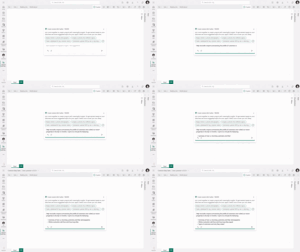
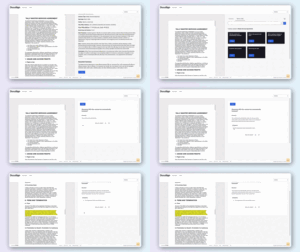
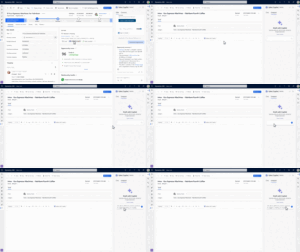
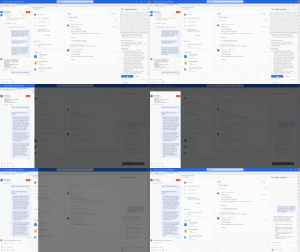
Twelve demo decks added 93 supporting slides built around guided GIF and video sequences across productivity, business applications, developer tools, security, data, Azure AI, Fabric, and partner scenarios.
This created a core-and-module architecture. Presenters could follow one consistent AI Transformation story, then select demonstrations suited to the audience, role, or area of interest.
The approach preserved narrative clarity while providing flexibility for different customer conversations, connecting 69 core slides and 93 supporting demo slides across a 162-slide communication ecosystem.
03 / Design Pivot
From AI Spectacle to Human Empowerment
The strongest direction did not make AI look more technical. It made its value feel more human.
AI AS THE VISUAL HERO



“TOO COLD”
PEOPLE AS THE POINT




TECHNOLOGY AS SUBJECT
Luminous gradients and abstract AI imagery made the technology visually dominant.
PEOPLE AS BENEFICIARY
Human presence, warmer color, and organic form shifted attention toward possibility and impact.
04 / Visual System
Codifying the Human-Centered Visual System
A coherent visual grammar created consistency without making 69 slides feel repetitive.
COLOR SYSTEM
Orange
#FF5C39
Teal
#49C5B1
Blue
#0078D4
Purple
#8661C5
Dark Green
#07641D
Mid Gray
#D7D2CB
Light Brown
#E1D3C7
ORGANIC FORMS & MOTIFS

HUMAN PRESENCE


CUSTOM ICONS





The revised direction became a flexible visual system rather than a single visual treatment.
Warm neutral canvases, organic framing shapes, Microsoft brand patterns, an expanded AI color palette, human photography, and custom icons established a recognizable foundation. Selective PowerPoint animation helped guide attention and sequence information throughout the story.
The elements were consistent enough to hold the full story together, but flexible enough to support different compositions, levels of density, and degrees of technical detail.
The system created continuity without forcing every slide into the same template or visual formula.
05 / System in Use
One Visual Grammar, Many Content Types
The system had to hold human outcomes, strategic claims, technical frameworks, and product stories together.

HUMAN-CENTERED OPENING

STRATEGIC CLAIM

DECISION FRAMEWORK

TECHNICAL SYSTEM

CUSTOMER PROOF

ACTION & NEXT STEP
The master story moved across very different kinds of communication: human-centered openings, strategic statements, cloud frameworks, product sections, technical diagrams, and animated explanations.
Each mode required a different balance of emotion, information density, and presenter guidance.
A shared visual grammar connected those modes through consistent hierarchy, typography, color behavior, framing, iconography, and motion.
This allowed the presentation to change register throughout the story without feeling like a collection of disconnected slide styles.
06 / Outcome & Scale
A Shared Story at Organizational Scale
The outcome was not a single deck, but a shared storytelling system designed to stay coherent across audiences, presenters, and delivery contexts.








Designed for a 60,000-person MCAPS organization
The 69-slide master story gave leadership bootcamps, Executive Briefing Center conversations, and seller-led customer discussions a common narrative spine.
It translated a highly technical AI transformation topic into a sequence that non-technical presenters could use to move from business urgency to action.
A linked library of 12 demo decks added 93 audience-selectable supporting slides without overloading the core story.
Together, the system was designed for a 60,000-person MCAPS organization, allowing the narrative to adapt by audience and conversation while preserving a consistent strategic and visual foundation.
Evidence Boundary
What this case study demonstrates—
what it does not claim
I led the visual design, visual system development, and presentation execution for the 69-slide core story, working in partnership with content stakeholders and under storytelling design leadership. The narrative strategy, source messaging, talk tracks, and technical demo content were developed by the broader cross-functional team.
The 12 linked demo decks and 93 supporting slides are included to explain the system’s audience-selection model and overall scope. I do not claim authorship of their underlying demo content or media. The 60,000 figure refers to the size of the MCAPS organization the system was designed to support, not verified adoption, individual usage, or measured business impact.
CONFIDENTIALITY NOTE
This case study presents a limited, portfolio-safe view of internal Microsoft work. Confidential business details, customer information, presenter notes, and sensitive source content have been omitted, redacted, or shown only at a representative level. The materials included here are intended solely to explain the design system, storytelling approach, and my contribution to the work.